Make a professional resume that gets read.

  • 57 resume templates, 27 of them ATS-friendly, each marked by how well applicant tracking systems read it.
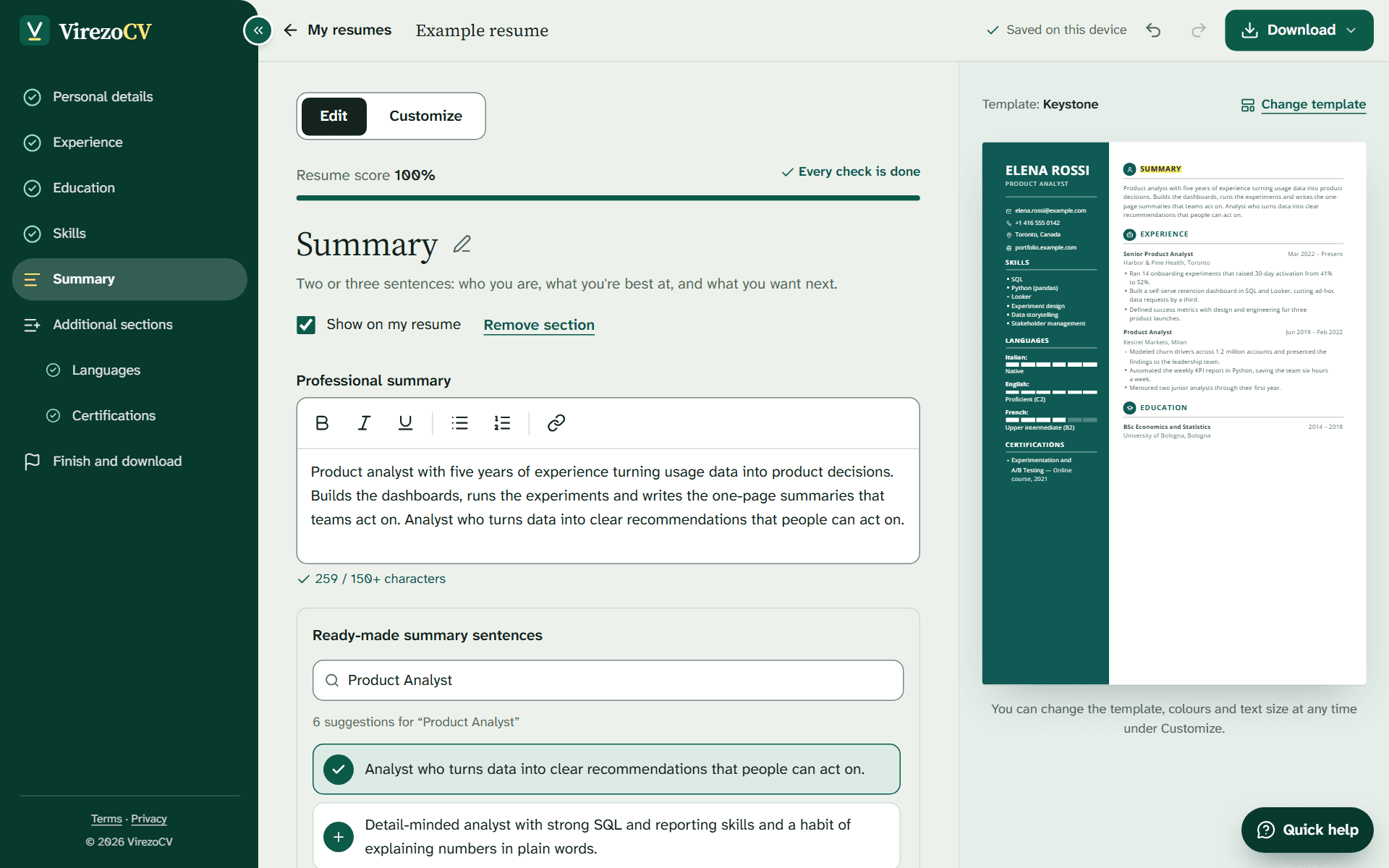
  • Step-by-step guidance, with tips beside every field and ready-made phrases for your job.
  • Quick help answers your questions straight away, and the page updates as you type.

Free to start, with no sign-up. Your resume saves as you type.

The same resume in Compass. Switch designs any time without retyping.

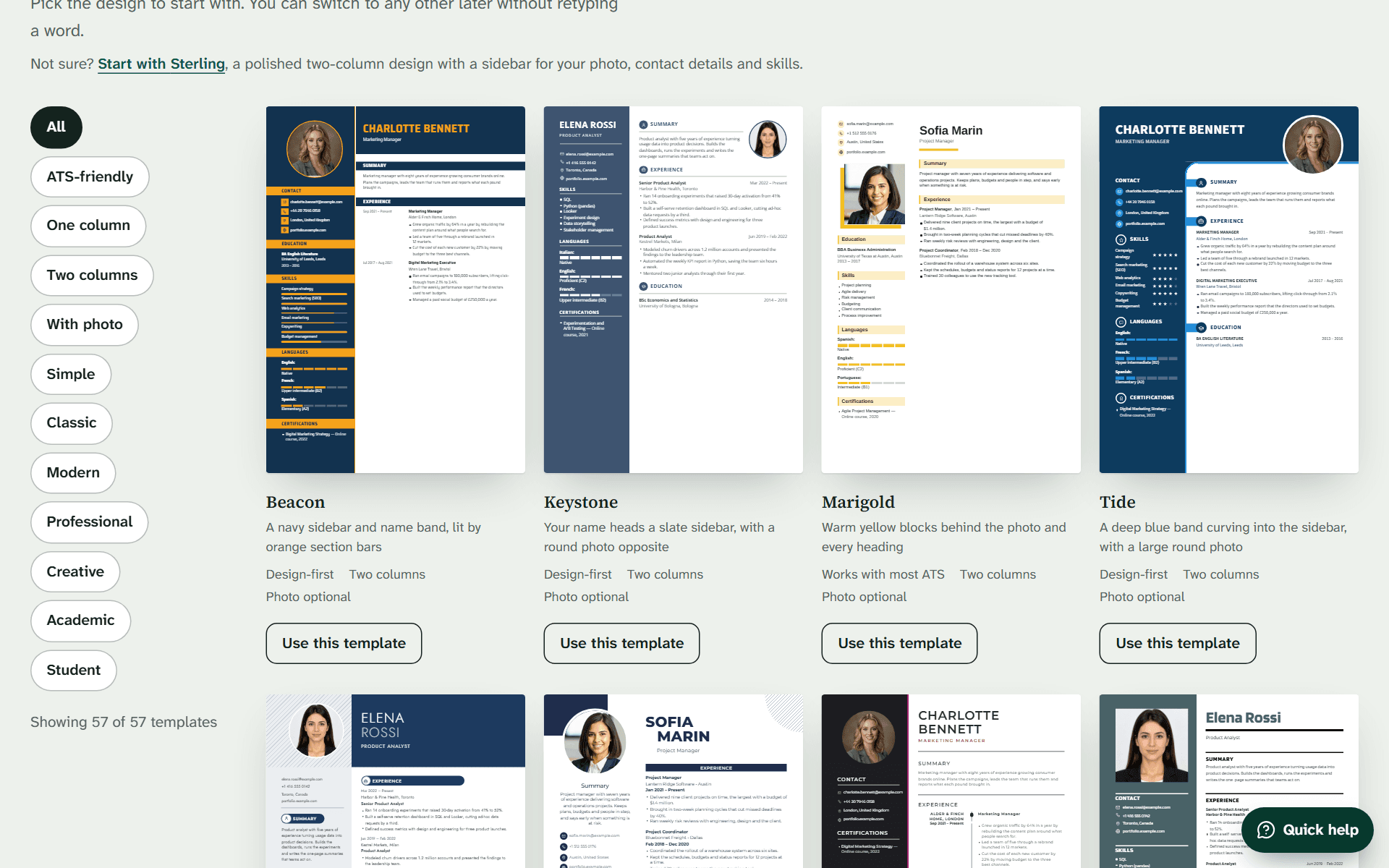
57 templates, from plain and ATS-friendly to bold

Every template says how well applicant tracking systems read it. Here are 13 to start with.

Use this template

Marigold

  • Works with most ATS
  • Two columns

Sterling

  • Design-first
  • Two columns

Folio

  • ATS-friendly
  • One column

Marigold, 1 of 13

  • 27 ATS-friendly templates: one column, standard headings and real text.
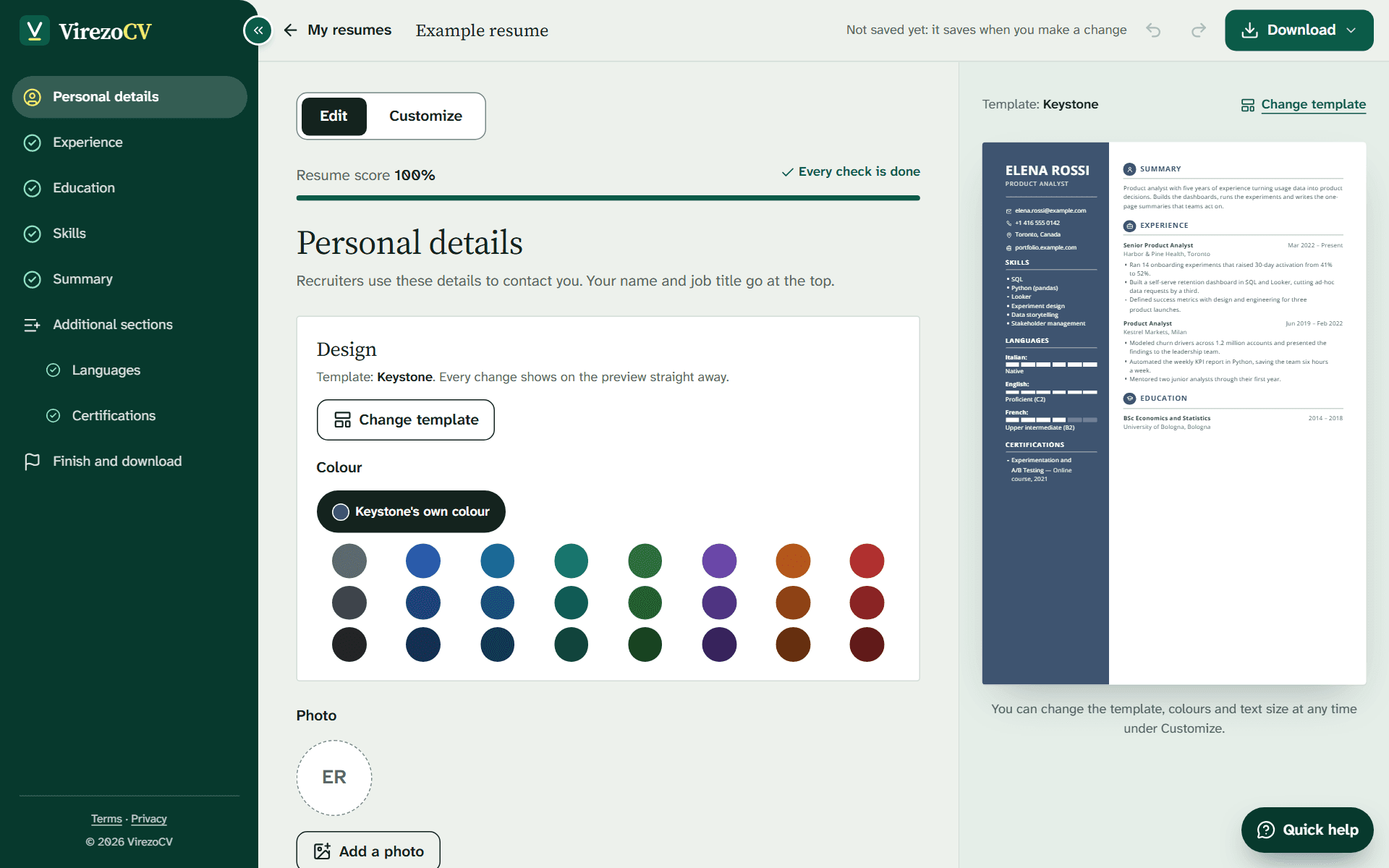
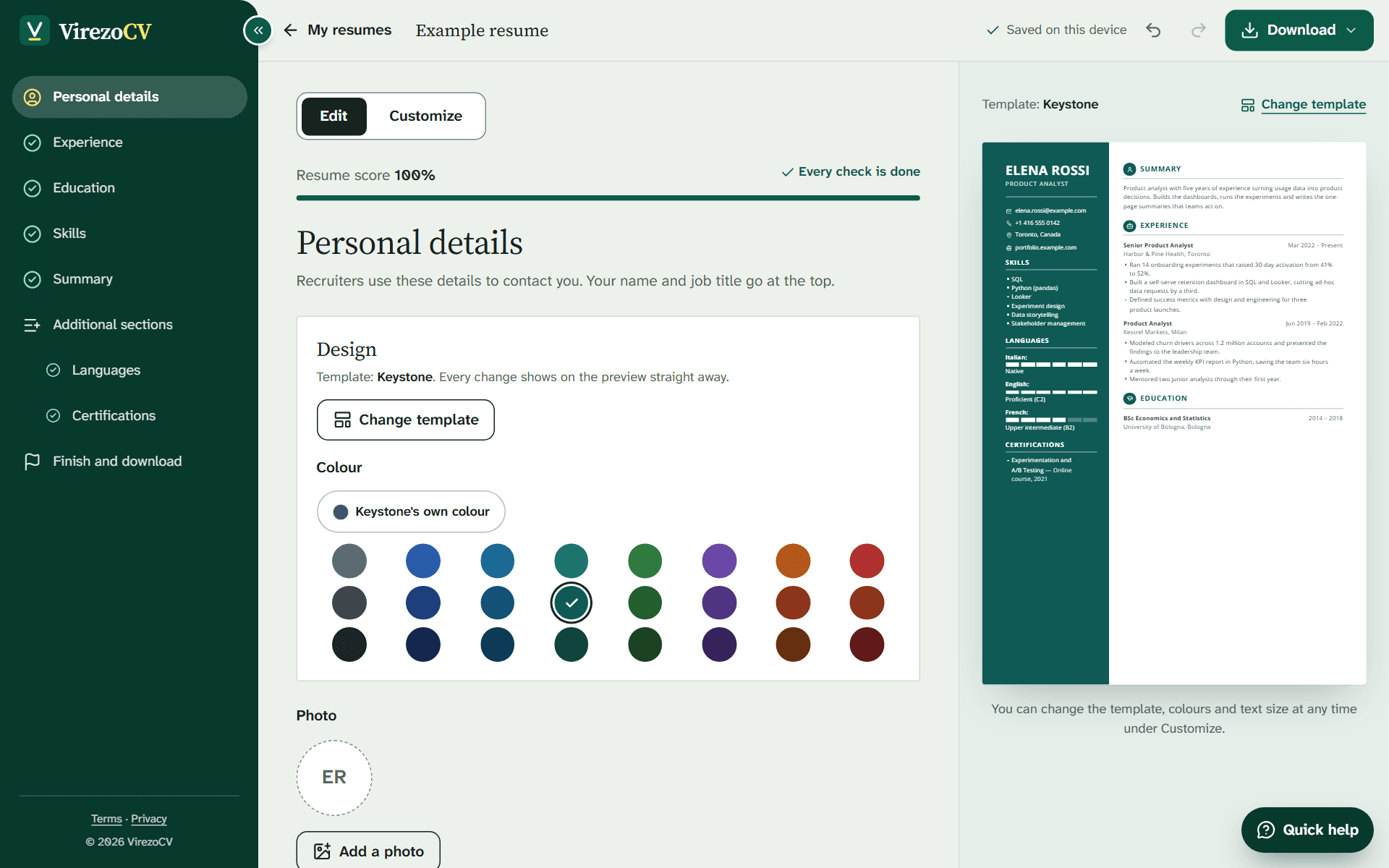
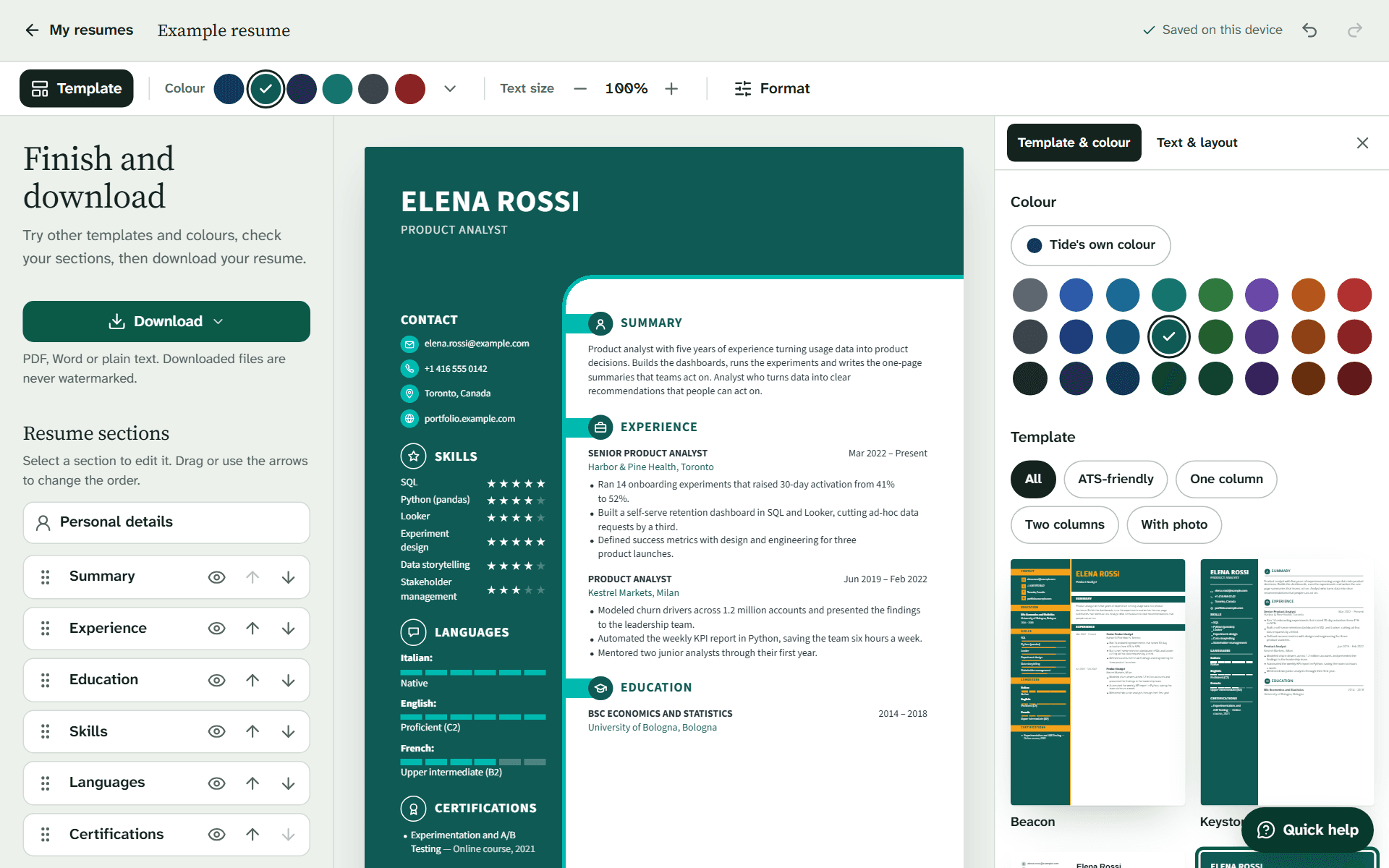
  • 24 colors for every design, beside the template's own.
  • One column or two, with or without a photo.

From a blank page to a finished resume in three steps

Stop whenever you need to. Your progress is saved as you type.

  1. Choose a template

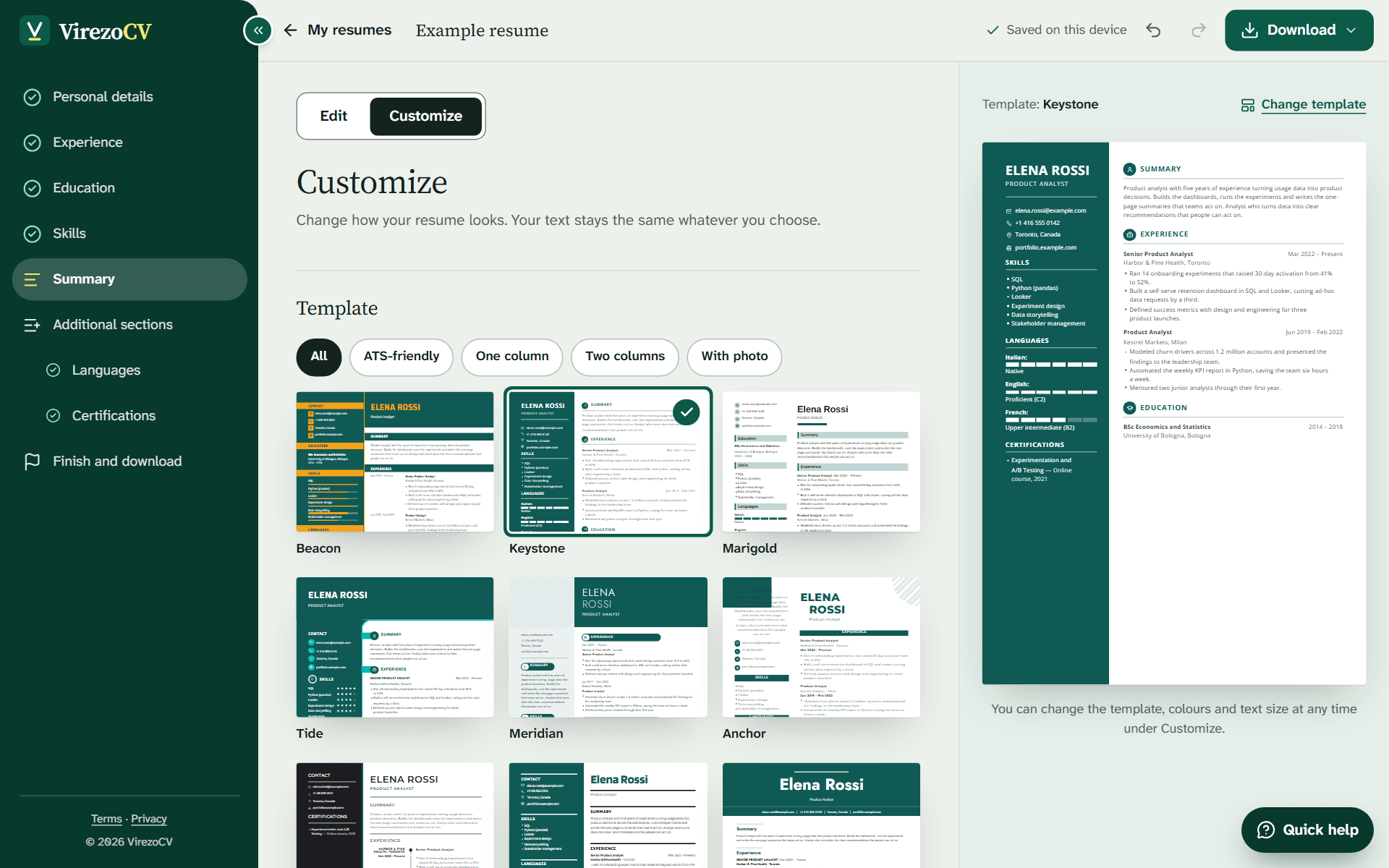
    Start with any of 57 designs. Change your mind later without losing a word.

  2. Fill in each section

    Short tips beside every field say what recruiters look for, and ready-made phrases for your job help when you're stuck.

  3. Download your resume

    When it reads the way you want, download it as a clean PDF or Word file.

See the builder at work

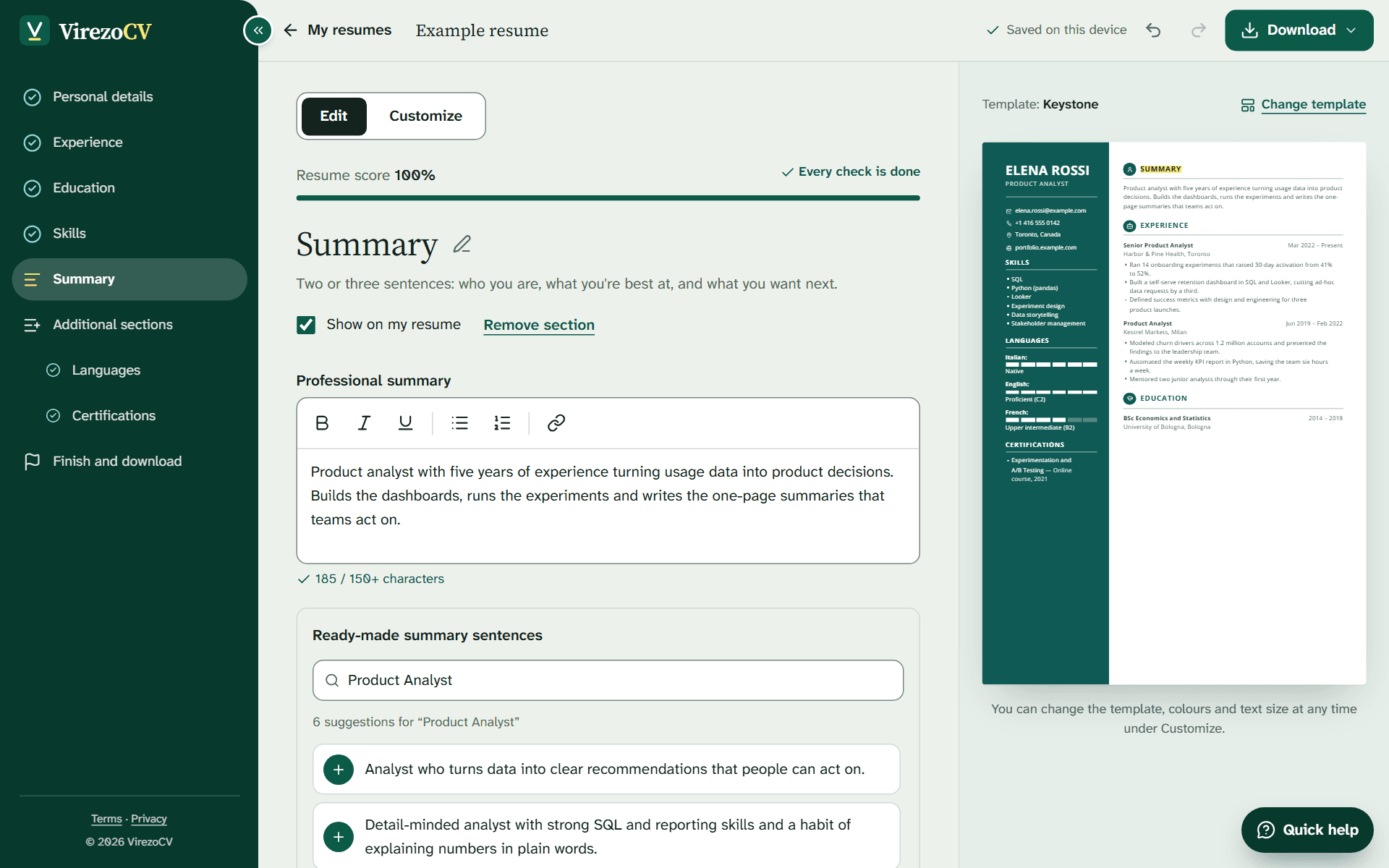
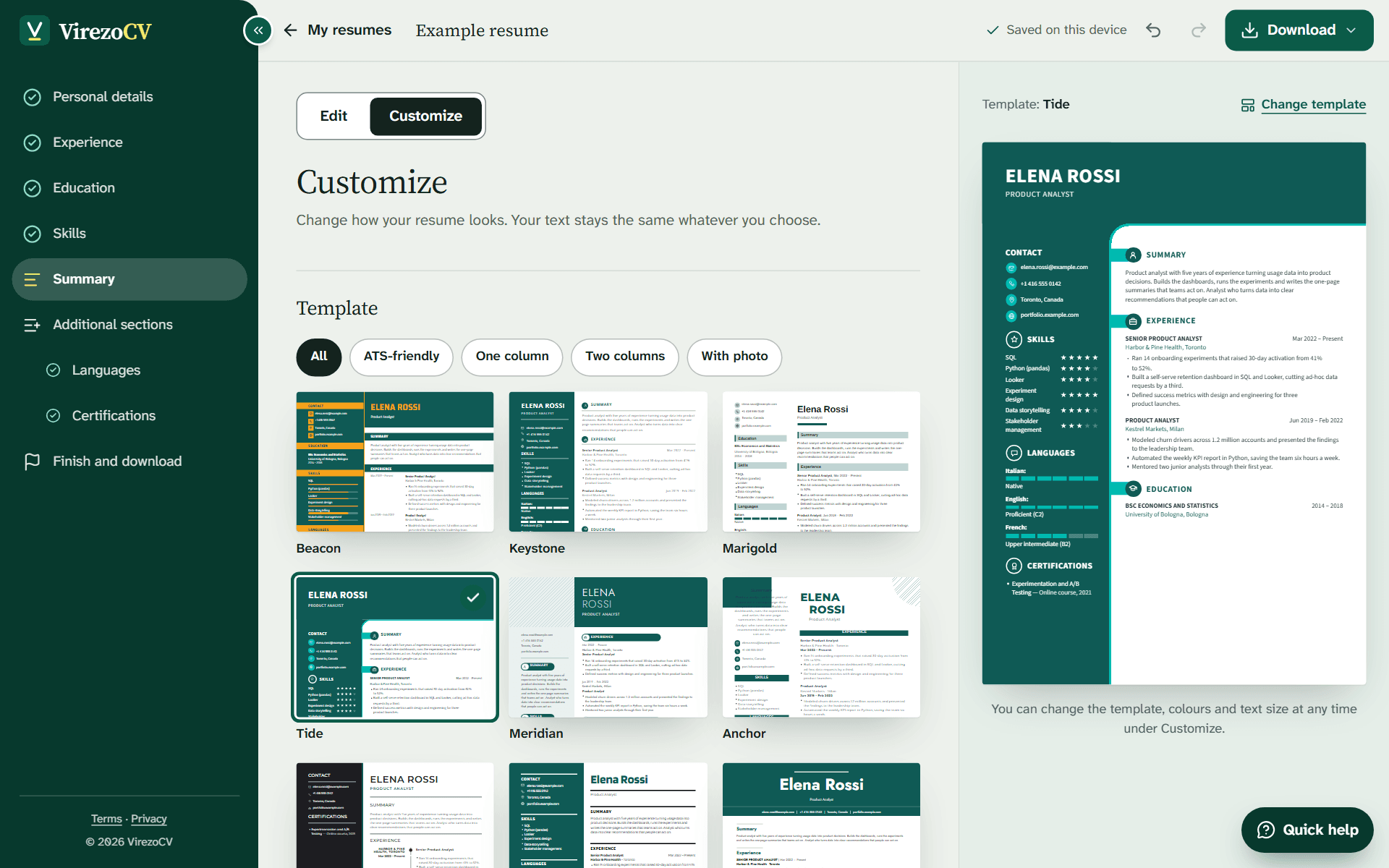
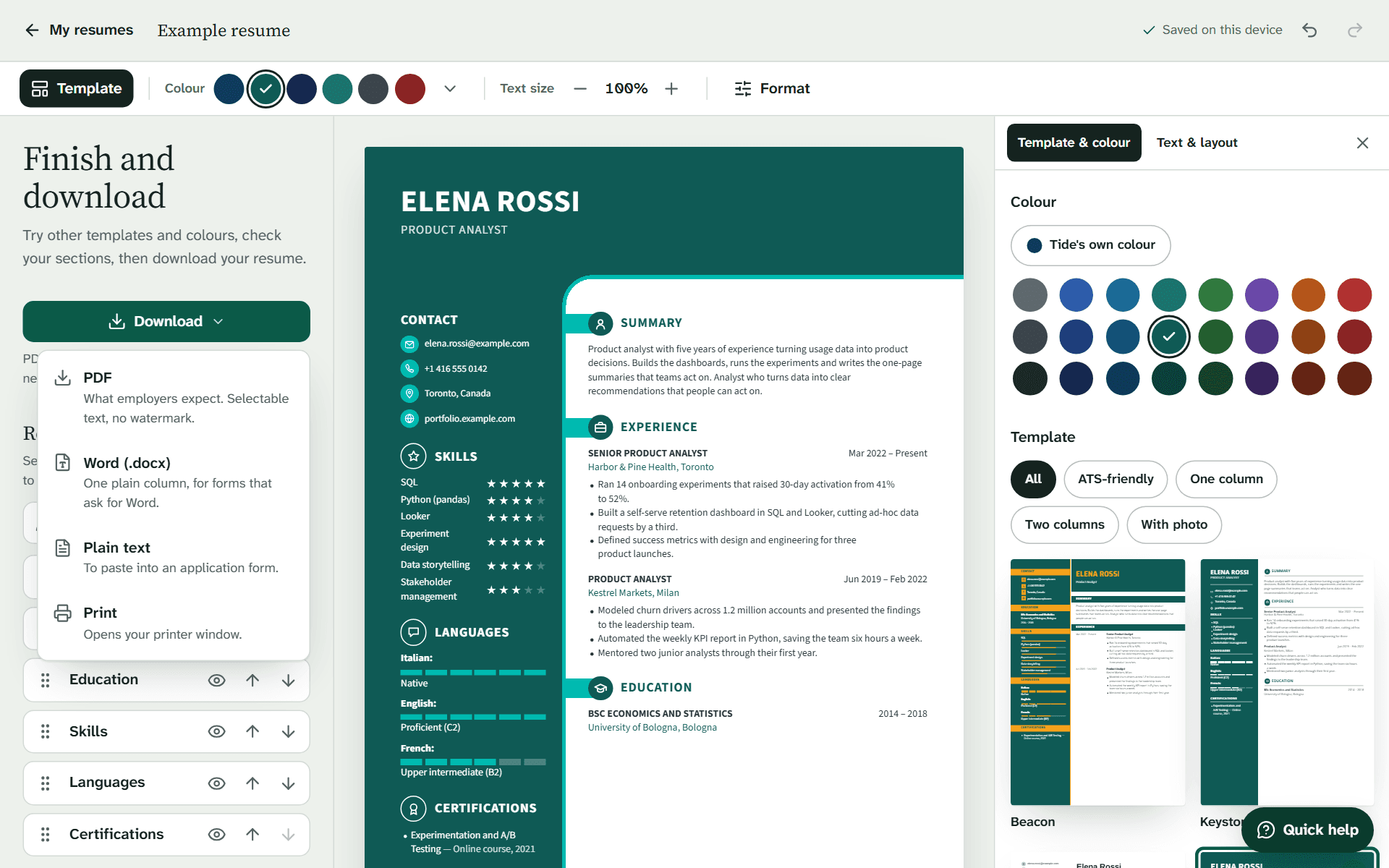
Choose a template, fill in the steps and watch your resume change as you go. These are real screens from the builder, not a mock-up.

Create my resume

Start with any of the templates.

Ready for applicant tracking systems

Most large employers pass applications through an applicant tracking system (ATS) before anyone reads them. It reads text, not design. Every VirezoCV download is real, selectable text in a logical order, and 27 of our 57 templates are rated ATS-friendly: one column and standard headings.

Build an ATS-friendly resume
  • Selectable text in every PDF
  • Standard section headings
  • An ATS rating on every template

What an ATS reads

  • Name
  • Email
  • Phone
  • Job titles
  • Employers
  • Dates
  • Skills
  • Education
  • Certifications
  • Languages

Help with the words, right where you write

Tips, ready-made phrases and answers to common questions. You choose every line that goes on your resume.

Ready-made phrases for your job

Search by job title and add the bullet points, skills and summary sentences that fit, with one click. Then make them yours: every line stays editable.

Tips beside every field

Each step says what recruiters look for there: action verbs, numbers that show results, and how long each part should be.

A score with the next fix

Your resume score shows what is still missing, from a summary to dates, and takes you to the step where you fix it.

Quick help for your questions

Prepared answers to what people ask most, from photos and page length to applicant tracking systems.

Suggested phrases

Product analyst

  • Built dashboards that the leadership team used for weekly decisions. (added)
  • Designed and evaluated A/B tests for new product features. (added)
  • Automated a weekly report, saving the team several hours every week. (not added)

Tip: start each bullet point with an action verb, and add a number where you can.

Two phrases added to the experience step. Edit them so they describe your own work.

Templates that keep your words when you switch

Try one design, then another: your text, sections and photo move with you. These six have two columns and room for a photo.

  • Beacon

    A navy sidebar and name band, lit by orange section bars

    • Design-first
    • Two columns
    • Photo optional
  • Tide

    A deep blue band curving into the sidebar, with a large round photo

    • Design-first
    • Two columns
    • Photo optional
  • Meridian

    A navy band with a light name, and pill headings on a pale sidebar

    • Design-first
    • Two columns
    • Photo optional
  • Onyx

    A black sidebar edged in color, with a dated line down the page

    • Design-first
    • Two columns
    • Photo optional
  • Keystone

    Your name heads a slate sidebar, with a round photo opposite

    • Design-first
    • Two columns
    • Photo optional
  • Anchor

    A bold two-line name beside a round photo on a navy block

    • Design-first
    • Two columns
    • Photo optional

How VirezoCV compares

A resume has two readers: the software that parses it and the person who skims it.

Layouts built for applicant tracking systems

VirezoCV
Yes
Word or Google Docs
Depends on your layout
Design tools
Often not
Many resume builders
Yes

Change the design without retyping

VirezoCV
Yes
Word or Google Docs
No
Design tools
No
Many resume builders
Yes

Writing tips beside every field

VirezoCV
Yes
Word or Google Docs
No
Design tools
No
Many resume builders
Sometimes

Renewal price shown before you pay

VirezoCV
Yes
Word or Google Docs
Nothing to renew
Design tools
Yes
Many resume builders
Often in small print

Based on popular tools, September 2026.

Questions, answered

Straight answers about downloads, privacy and applicant tracking systems.

What can I do without paying?

Everything up to the download: pick any of the 57 templates, write every section with the tips beside each field, change colors and layout, and see the result as you type. No card is needed. To download your resume as a PDF, Word or text file, or print it, pay once for that resume, or pick a Pro plan to download all your resumes and cover letters. You see the price before you pay.

How does renewal work?

The one-time payment never renews. Plans renew at the price you signed up for until you cancel, and we email you three days before every renewal. Cancel from your account in two clicks. If Pro isn't right for you, ask for a refund within 14 days of a payment.

Can I download my resume as a Word file?

Yes. With Pro you can download PDF, Word (DOCX) and plain text files.

Will my resume get through applicant tracking systems?

Our templates export real, selectable text with standard section headings and a logical reading order, which is what applicant tracking systems read. Single-column templates are the safest choice, and every template shows how ATS-friendly it is.

Resume or CV: which one do I need?

In the US and Canada, a resume is a one- or two-page summary for most jobs and a CV is a longer academic record. In the UK, Europe and much of the world, CV means what Americans call a resume. VirezoCV works for both, in A4 or US Letter.

Is my data private?

Your resume belongs to you. We don't sell your data or show it to recruiters unless you share a link yourself, and you can download or delete everything from your account at any time.

Where do the suggested phrases come from?

They are ready-made lines for common jobs, written by the VirezoCV team. Search by your job title or a word, add the ones that fit with one click, then edit them so they describe your own work. Nothing goes on your resume unless you choose it.

Can I build my resume on my phone?

Yes. The editor works on phones, tablets and computers, and your progress is saved as you type.

Your next resume starts here.

Pick a template, write with tips beside every field and watch it take shape as you type.

Create my resume